Test mode — payments use the Dodo Payments test environment. No real charges.
Opsacea Toolkit · Implementation Bundle

The implementation toolkit for shipping AI automation faster

Workflows, prompts, SOPs and templates — the practical asset layer for operators, freelancers, consultants and agencies building real AI automation systems.

The implementation companion to the Opsacea Playbook. Includes the full 200+ page Playbook so you get both the strategy and the execution assets in one bundle.

$29$99Save 70%
Instant digital access Workflow templates included SOPs, prompts & checklists Lifetime updates
Bundle contents
v2.1
50
Prompts
20
Workflows
8
Templates
200+
Playbook pgs
n8n Workflow Templates
JSON · production-ready
AI Prompt Library
50 prompts · role + context
Notion SOPs
Duplicable · editable
Support SOPs
Booking · FAQ · support
What's inside

8 production-grade assets, built to work together

Every asset in the Toolkit ships with context, setup notes and a recommended use — so you know exactly what to open, when, and why.

Asset 01

Quick Start & Implementation Guide

A short, opinionated guide that tells you exactly which asset to open first and in what order.

Why it matters: Removes blank-page syndrome on day one.

Asset 02

AI Automation Audit Workbook

Map your operations, score automation opportunities and pick the 5 highest-ROI workflows to ship first.

Why it matters: Turns 'we should use AI' into a prioritised plan.

Asset 03

Notion & SOP Templates

Duplicable Notion docs and SOP templates for onboarding, workflow ownership, review cadence and AI guardrails.

Why it matters: Standardises how your team rolls out AI.

Asset 04

20 n8n Workflow Templates

Importable, production-ready JSON workflows for inbound request triage, booking operations, support desk work, record sync and reporting.

Why it matters: Skip the wiring — import and configure to your stack.

Asset 05

50 Production-Ready AI Prompts

A curated prompt library covering intake, support, triage, service status drafts, ops and analysis — each with role, context and output format.

Why it matters: Skip prompt trial-and-error and ship reliable outputs.

Asset 06

Support Desk SOP Templates

Ready-made process flows for customer support, booking and FAQ with clear human handoff rules.

Why it matters: Stand up a support process without designing flows from scratch.

Asset 07

Operations Note Templates

Lifecycle, onboarding, transactional and service-status notes for your internal team.

Why it matters: Reusable templates for your current operations.

Asset 08

AI Automation Toolkit Roadmap

A 30 / 60 / 90-day roadmap to sequence assets, review what's working and expand into more workflows over time.

Why it matters: Gives the Toolkit a long-term implementation horizon.

What you can build

What the Toolkit helps you implement

From assets to real business outcomes. The five systems most teams ship first.

Inbound request triage
Classify and route inbound requests from your own forms and support channels.
Customer support systems
Classify repeat tickets with a context-aware AI assistant trained on your help docs, with clean human handoff.
Support desk assistants
Assistants for support, booking and FAQ workflows with escalation to a human when needed.
Service status systems
Service updates triggered by customer status changes, prepared by AI and reviewed by your team.
Internal SOPs & delivery systems
Turn operational SOPs (onboarding, feedback collection, record updates) into workflows your team can rely on.
Who it's for

Built for the people doing the implementation work

Freelancers
Deliver AI automation projects without inventing assets from scratch.
Consultants
Deliver structured AI engagements with the audit workbook, prompts and roadmap baked in.
Agencies
Productize automations across clients — same workflow, same SOP, repeatable margin.
Operators
Standardise internal AI automation across teams with shared SOPs, prompts and workflows.
Service business owners
Automate bookings, customer updates and support without hiring an in-house automation engineer.
Why this is different

Not a folder of random templates

The Toolkit is a structured implementation system — not a Notion dump of disconnected prompts and checklists.

Generic free resources
  • Random templates with no business context
  • Disconnected prompts copied from Twitter
  • No SOPs or workflow logic
  • Nothing tying assets to real operations
  • Free, but you rebuild from scratch every time
Opsacea Toolkit
  • Practical workflow assets, production-grade
  • SOPs and process docs you can ship to a team
  • Implementation-ready prompts with role + context
  • Templates connected to real business operations
  • Designed to work alongside the Playbook
Need the strategy too?

The Toolkit gives you the assets. The Playbook gives you the roadmap.

The Opsacea Playbook is the strategic foundation — frameworks, use case mapping and the structured path from idea to deployed workflow. It's already bundled inside the Toolkit, but it's worth understanding on its own.

The Playbook covers AI automation strategy — how to identify use cases, design assistants, choose a stack and plan your implementation. Where the Toolkit is the asset layer, the Playbook is the thinking layer behind it.
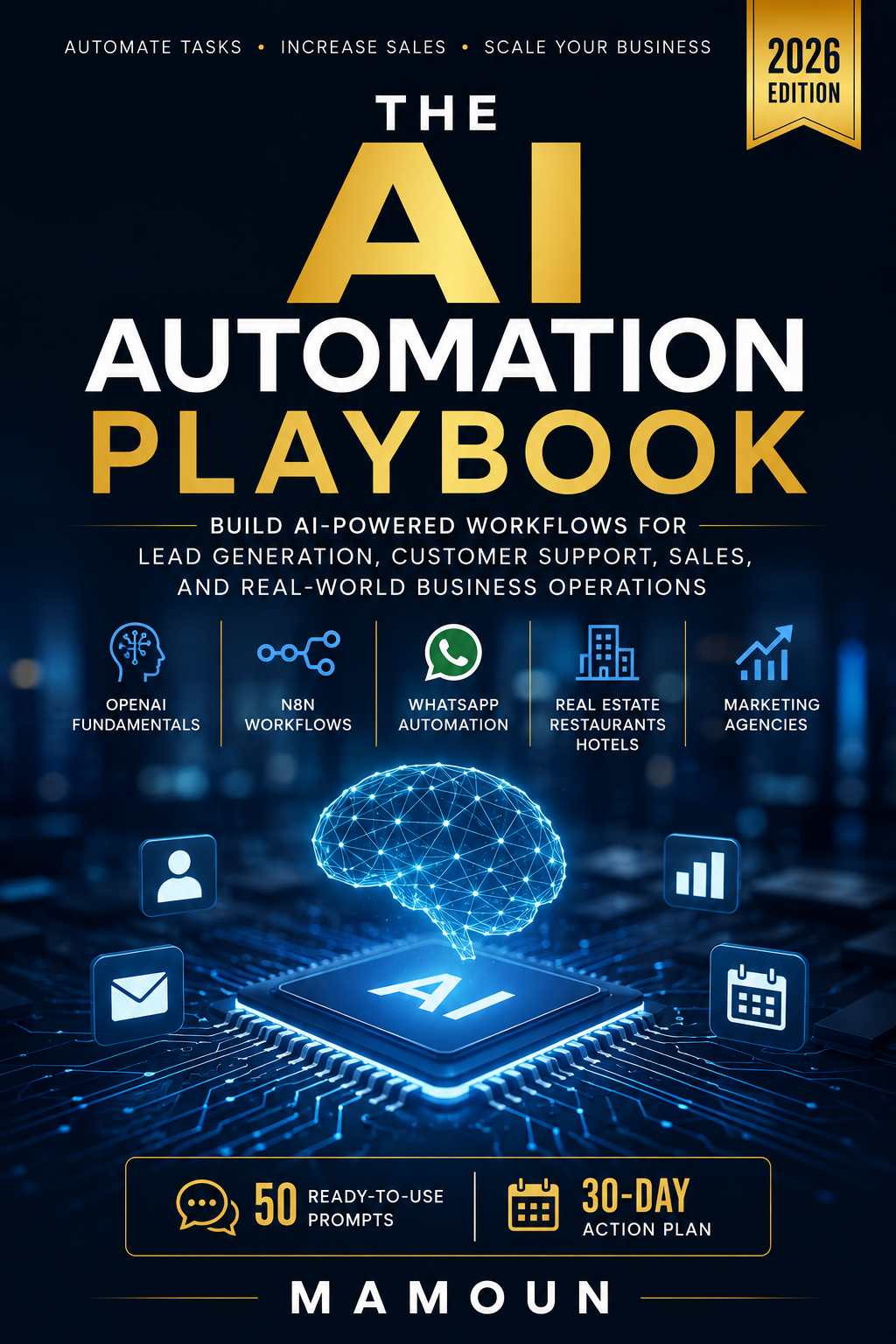
  • AI automation strategy & frameworks
  • Use case mapping for service businesses
  • Assistant design, prompts, tools & guardrails
  • n8n fundamentals & production patterns
  • 30-day implementation plan
See the Playbook
$12.99$49· standalone
The AI Automation Playbook
Companion product
The AI Automation Playbook
200+ pages · ebook + starter pack
Included in the Toolkit

The strategic foundation behind every asset in the Toolkit. Read it to understand the system, then use the Toolkit to deploy it.

Playbook vs Toolkit

Two products, one ecosystem

The Playbook teaches the system. The Toolkit ships the assets. Together they cover the full path from strategy to execution.

The Playbook

Strategy & roadmap

  • Strategy
  • Foundations
  • Frameworks
  • Roadmap
  • Use cases
  • Learning path
$12.99 · standalone
The Toolkit

Implementation assets

  • Workflows
  • SOPs
  • Prompts
  • Templates
  • Implementation assets
  • Execution shortcuts
$29 · includes Playbook
Best together

The full Opsacea system

Best if you want both the strategic system and the implementation assets — and want them to fit together by design, not by accident.

  • Strategy + execution in one stack
  • Frameworks mapped to real assets
  • Move from theory to shipped workflows faster
The bundle

Get the full Opsacea system

The Toolkit already includes the full Playbook — one purchase, the complete strategy + implementation stack.

Part 1
The Playbook
Strategy & roadmap
  • 200+ page ebook
  • 10 starter prompts
  • 3 n8n workflows
  • Implementation checklist
Part 2
The Toolkit
Implementation assets
  • 20 n8n workflows
  • 50 production prompts
  • Notion SOPs + audit workbook
  • Support SOP templates
Best value
Strategy + execution in one bundle
Learn the system. Implement it faster. Ship more automations.
$29one-time · everything above
Get the Toolkit (includes Playbook)
Just want the strategy first? Get the Playbook for $12.99
Value stack

Everything you get inside the Toolkit

A complete implementation bundle — strategy, prompts, workflows and SOPs, designed to help you ship AI automations without building from scratch.

  • The Playbook Included

    200+ page strategy ebook — included in full

    $49
  • 50-prompt library

    Production-ready prompts across operations, bookings & support

    $59
  • 20 workflow templates

    n8n JSON, plug-and-play

    $99
  • Support SOP templates
    $39
  • Notion & SOP templates
    $29
  • Lifetime updates
    Priceless
Total value
If purchased separately
$275+
Your price today
One-time payment · lifetime access
$29
Get instant access
Instant access Lifetime updates Playbook included
Trusted by operators

Used by agencies, consultants and service businesses

The audit workbook + 20 workflows alone saved us a week of scoping work. We deployed our first client automation in 4 days.
Operator — boutique automation agency
The prompt library is the most useful part. Every prompt has the role, context and output format already done.
Consultant — RevOps & AI
We adapted the n8n workflows to our internal support process. Best $29 we've spent on tooling this year.
Founder — service business
FAQ

Toolkit questions, answered

Yes. Each asset ships with a setup note explaining what it is, who it's for and how to deploy it. The Quick Start Guide walks you through the recommended order of use.
Need help implementing?
We can set up your AI automations for you — from strategy to deployment.
Talk To Us
Strategy + Execution

Get the assets. Add the roadmap.
Build your AI automation system properly.

The Toolkit ships the workflows, SOPs and prompts. The Playbook (included) ships the strategy. One purchase, the full Opsacea system.

14-day refund · Lifetime updates · Instant access

Still comparing?

See the full pricing breakdown and decide which tier fits your stage.